Modeling, drawings, simulation and machining — in one browser tab

The directness of a sketch.
The rigour of a kernel.

Push a face and watch the solid follow. Then constrain the sketch behind it, drive it from a parameter table, project a drawing from it, mesh it, and post the G-code — without leaving the page, and without a single operation that your scripts and agents cannot call themselves.

Runs in any modern browser on WebGL. No plug-in, no install, no licence dongle.

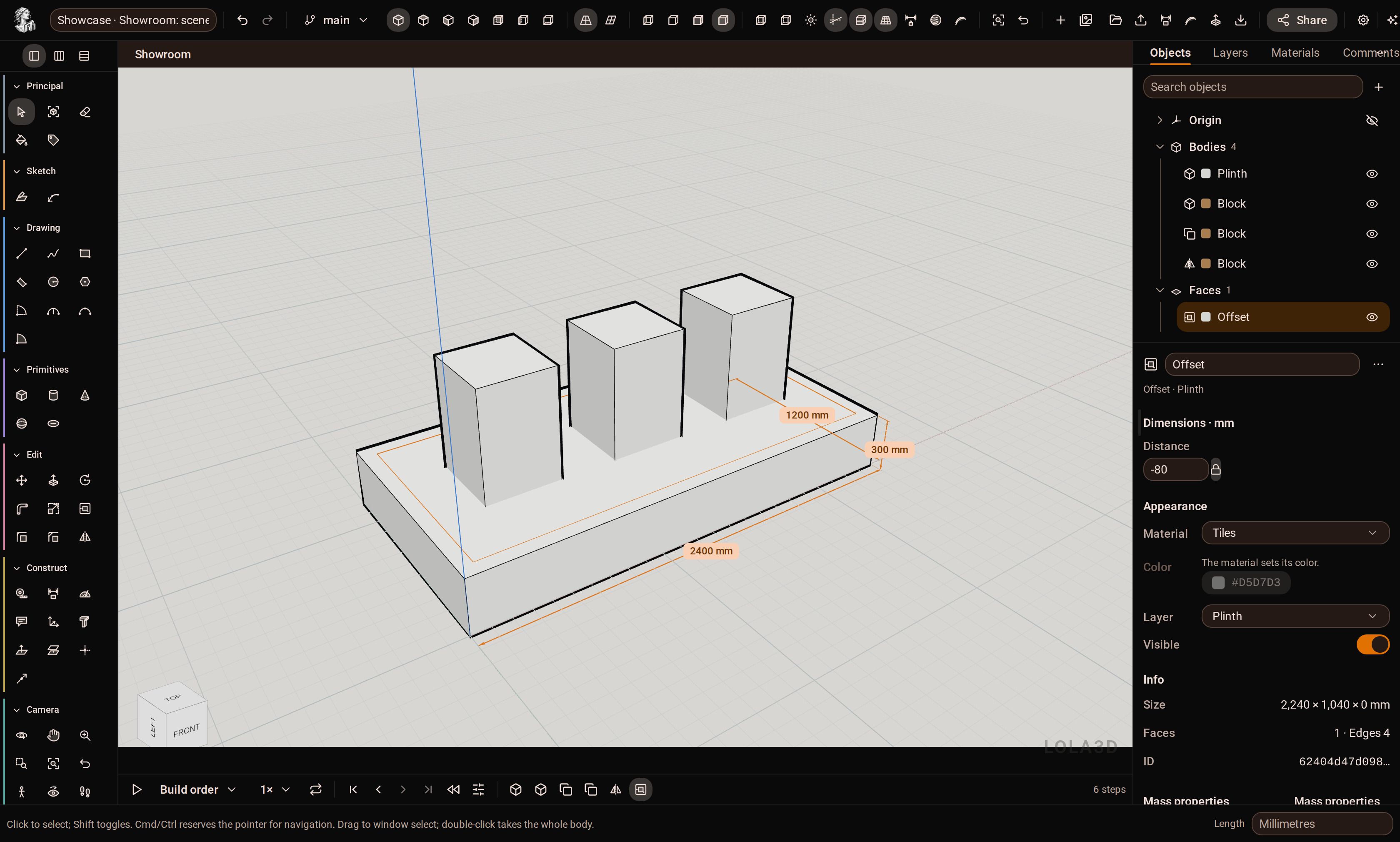
Live application The Lola3d modeling workspace: tool rail on the left, 3D viewport, the browser and entity inspector on the right, and the parametric timeline below.
228
Modeling actions in one catalogue — REST, MCP and the assistant call the same ones
70
Tools on the rail, from Line and Push/Pull to Loft, Shell and Draft
10 / 13
Import formats in, export formats out — STEP, IGES, BREP, STL, 3MF, glTF, DAE, IFC…
4
Languages: English, français, Deutsch, italiano
One modeler, two disciplines

You should not have to choose between drawing fast and being exact.

Most tools make you pick a side: a sketching tool that cannot hold a tolerance, or a parametric tool where nothing moves until you have declared everything. Lola3d does both, on the same B-rep body, in the same file.

Direct modeling

Draw a rectangle on a face, push it, and the body is cut. Inference snaps to endpoints, midpoints, intersections and the axes; modifier keys behave the way your hands already expect. A face region drawn inside another face is imprinted into the body and pushed on its own.

Push / PullFollow Me OffsetInference snapping Boolean tools
Parametric rigour

Behind the gesture: a constrained sketch solved by a minimum-change Newton solver that reports its degrees of freedom and refuses to over-constrain. Named parameters with dimensional checking, a timeline you can reorder and roll back, configurations, and branches with a three-way merge.

Constraint solverParameters TimelineConfigurations Branches
Built API-first, not API-later

Every capability is an action your code can call.

There is no operation in this application that exists only in the interface. The tool rail, the REST endpoint, the MCP tools and the in-app assistant all drive the same catalogue of 228 actions with the same JSON schemas — so anything you can do by hand, an agent can do by request.

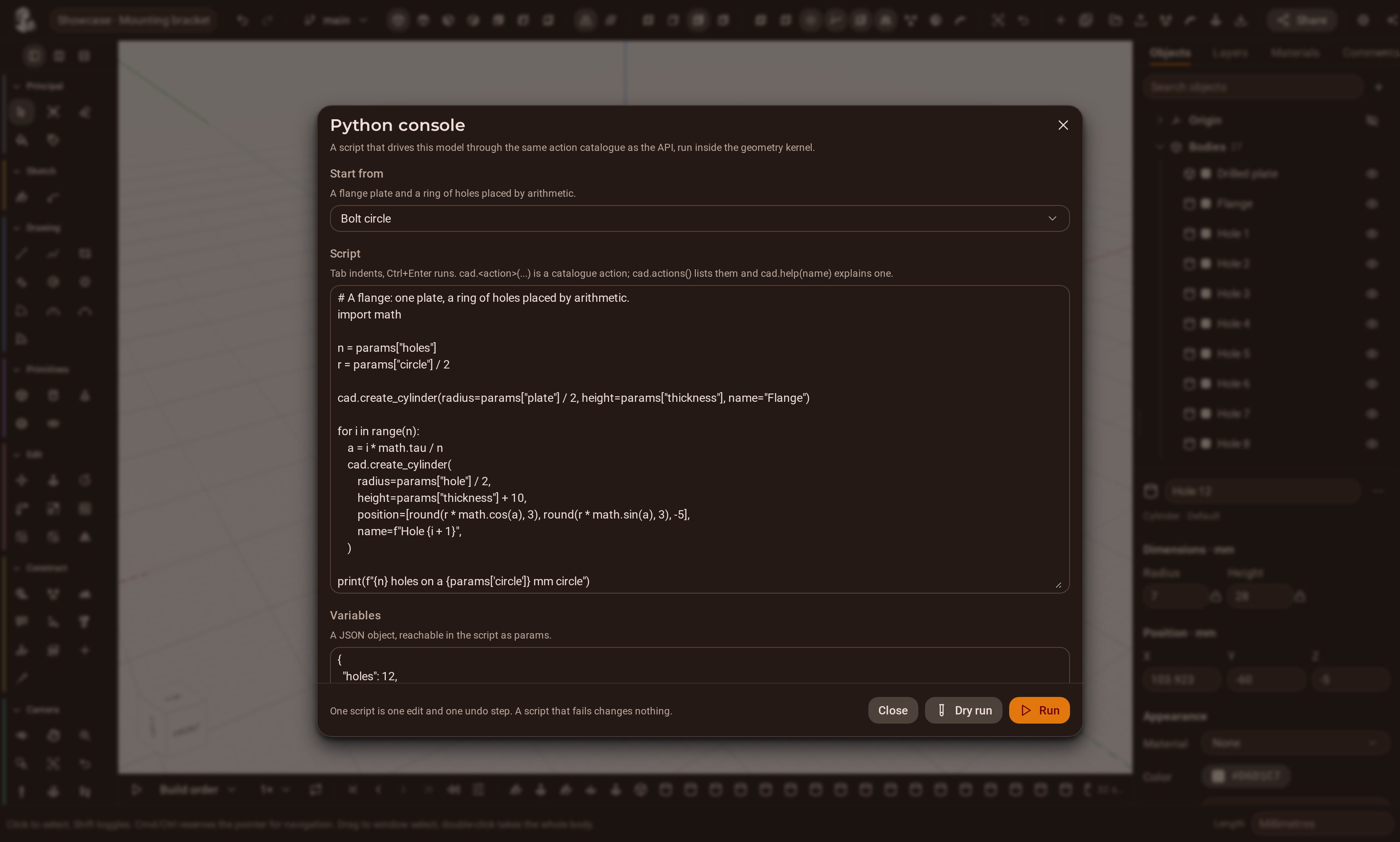
The Python console runs a script inside the geometry kernel itself, with the whole catalogue bound to one name. What it adds is the loop between the calls, and the ability to read the model back in the middle of its own work: two hundred holes placed by a formula, a lattice whose cell count follows its bounding box, a family of parts generated from a table.

  • One script is one edit and one undo step.
  • A script that fails changes nothing at all.
  • Optimistic concurrency: a stale revision is refused, never merged by luck.
Python console — inside the kernel
# A flange: one plate, a ring of holes placed by arithmetic.
import math

n = params["holes"]
r = params["circle"] / 2

cad.create_cylinder(radius=params["plate"] / 2,
                   height=params["thickness"], name="Flange")

for i in range(n):
    a = i * math.tau / n
    cad.create_cylinder(
        radius=params["hole"] / 2,
        height=params["thickness"] + 10,
        position=[round(r * math.cos(a), 3),
                  round(r * math.sin(a), 3), -5],
        name=f"Hole {i + 1}",
    )

print(f"{n} holes on a {params['circle']} mm circle")
result = {"holes": n, "pitch_mm": round(math.tau * r / n, 2)}
The Python console open over the model, showing a script, its printed output and the actions it applied.
The console reports what the script printed, which catalogue actions it applied, and the value it returned.
From the first line to the G-code

The part does not have to leave the tab.

Design it, document it, check it, machine it. Every stage reads the same B-rep body, so nothing is exported to be re-imported and nothing goes stale behind your back.

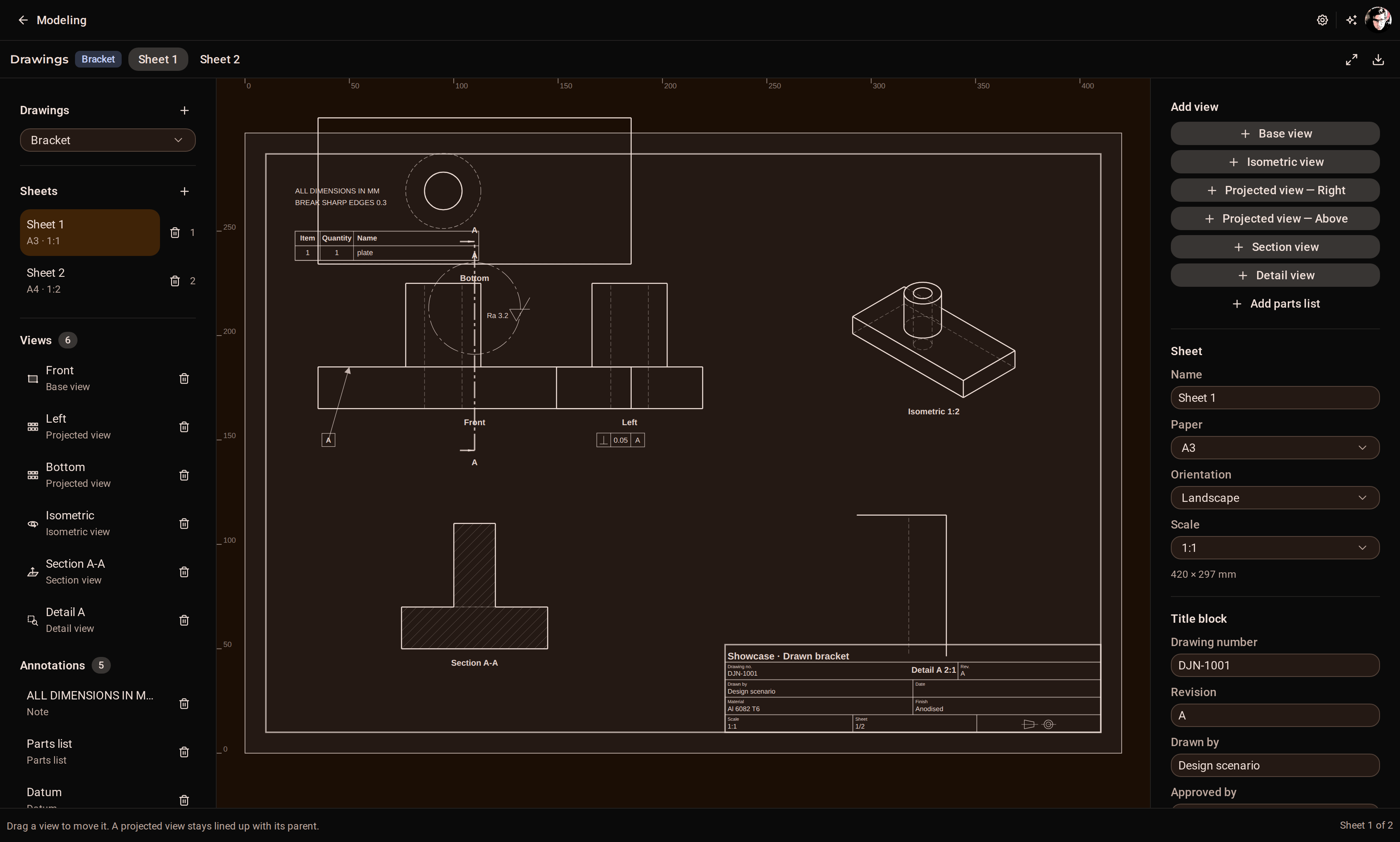
A drawing sheet with a base view, a projected view, a hatched section and dimensions.
Drawings. Sheets, projected and section views, hidden-line removal, and dimensions that re-measure themselves when the model changes.
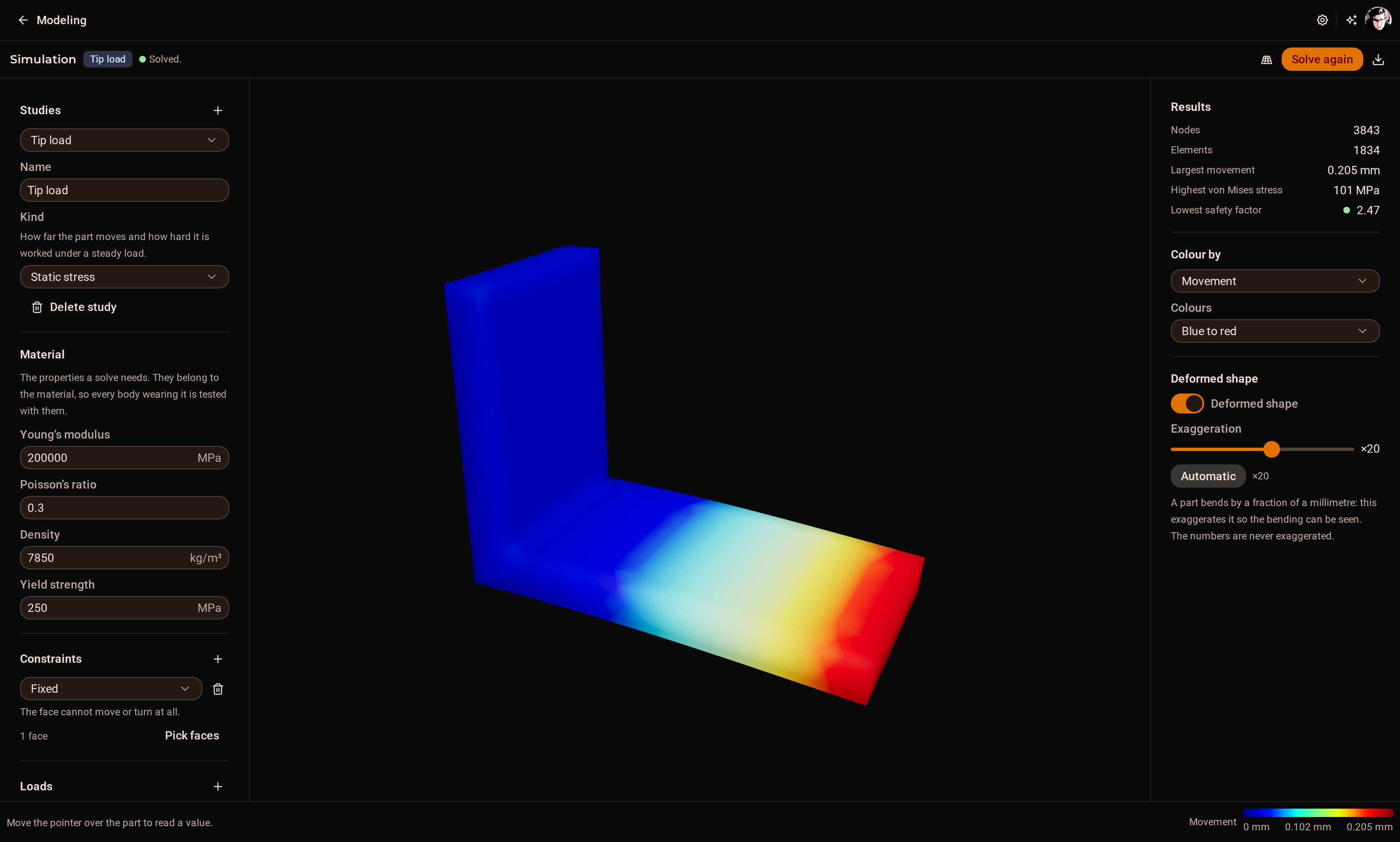
A simulation study showing a von Mises stress field on a meshed bracket.
Simulation. Linear static stress and modal analysis, meshed from the exact B-rep — not from a triangulation of it.
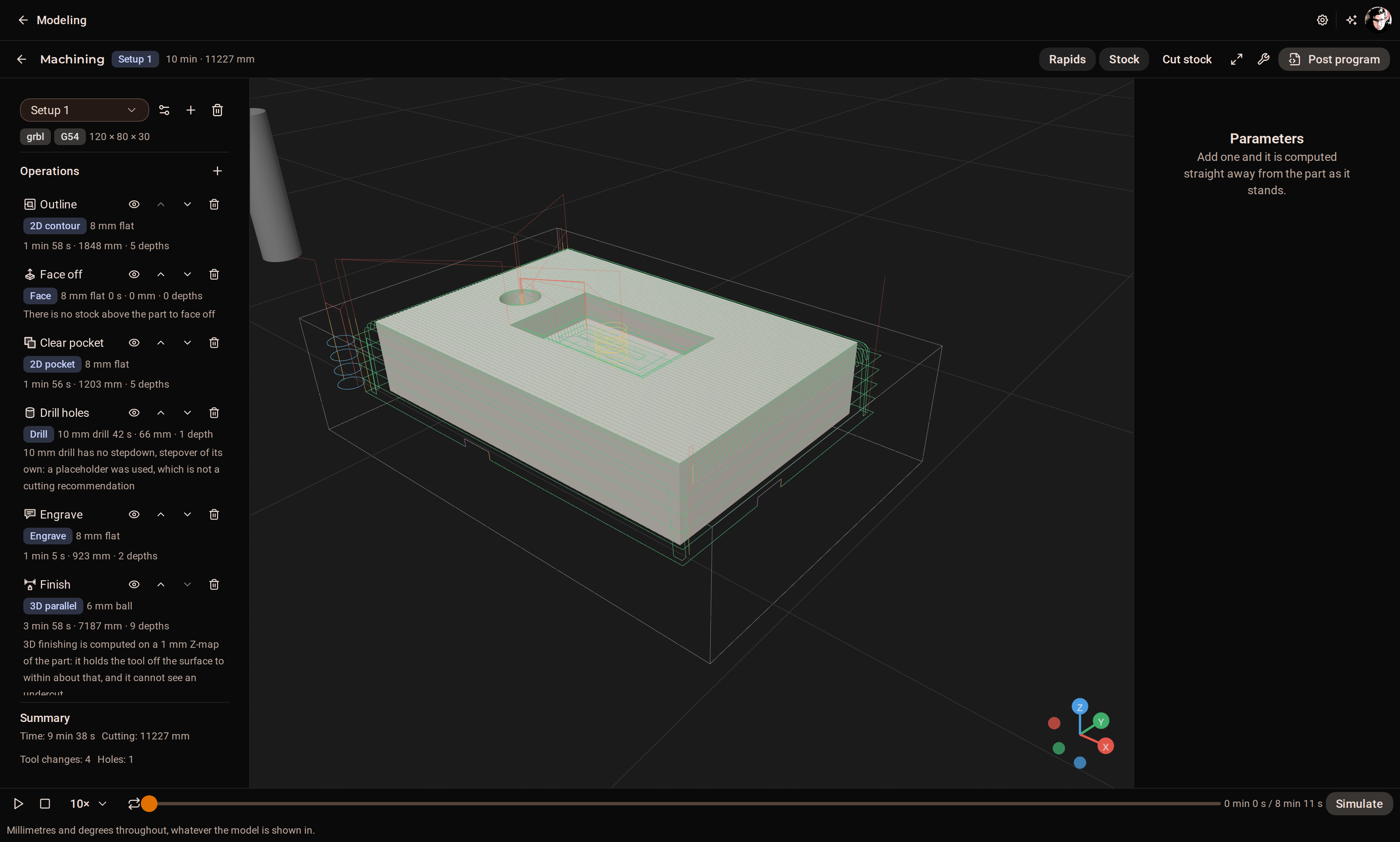
The CAM workspace with a setup, toolpaths over the part and the posted G-code.
CAM. Setups, a tool library, six strategies, Z-map material removal with gouge and collision checks, and posts verified by re-parsing their own G-code.
How it behaves when things go wrong

A CAD tool earns trust in its failures.

A failed operation never commits.

Every edit carries the revision it was made on. A stale one is refused; a kernel error leaves the document byte-for-byte unchanged. There is no half-applied state to clean up.

Names survive the edit that moved them.

Every face and edge carries a name derived from its history. A fillet, a sketch anchor or a plugin placement holds that name — and reports honestly when it had to fall back to geometry, or could not resolve at all.

An edit costs what it changes.

The kernel holds your document and answers a patch, not a new file. Unchanged bodies keep their GPU geometry. Shapes and meshes are cached on disk, so a restart does not regenerate your models.

The geometry runs in its own process.

A pool of kernel workers, one model pinned to one worker. A request carries a deadline the worker enforces itself, and a worker that dies is replaced without your document being touched.

Limits are written down.

What the simulation does not model, what the CAM simulator cannot see under an overhang, where face naming has edge cases — the documentation says so, in the same place it says what works.

Refusals are sentences, not codes.

A full queue, a timeout, a stale revision and an impossible fillet are all explained in your language as what became of your document and what to try next.

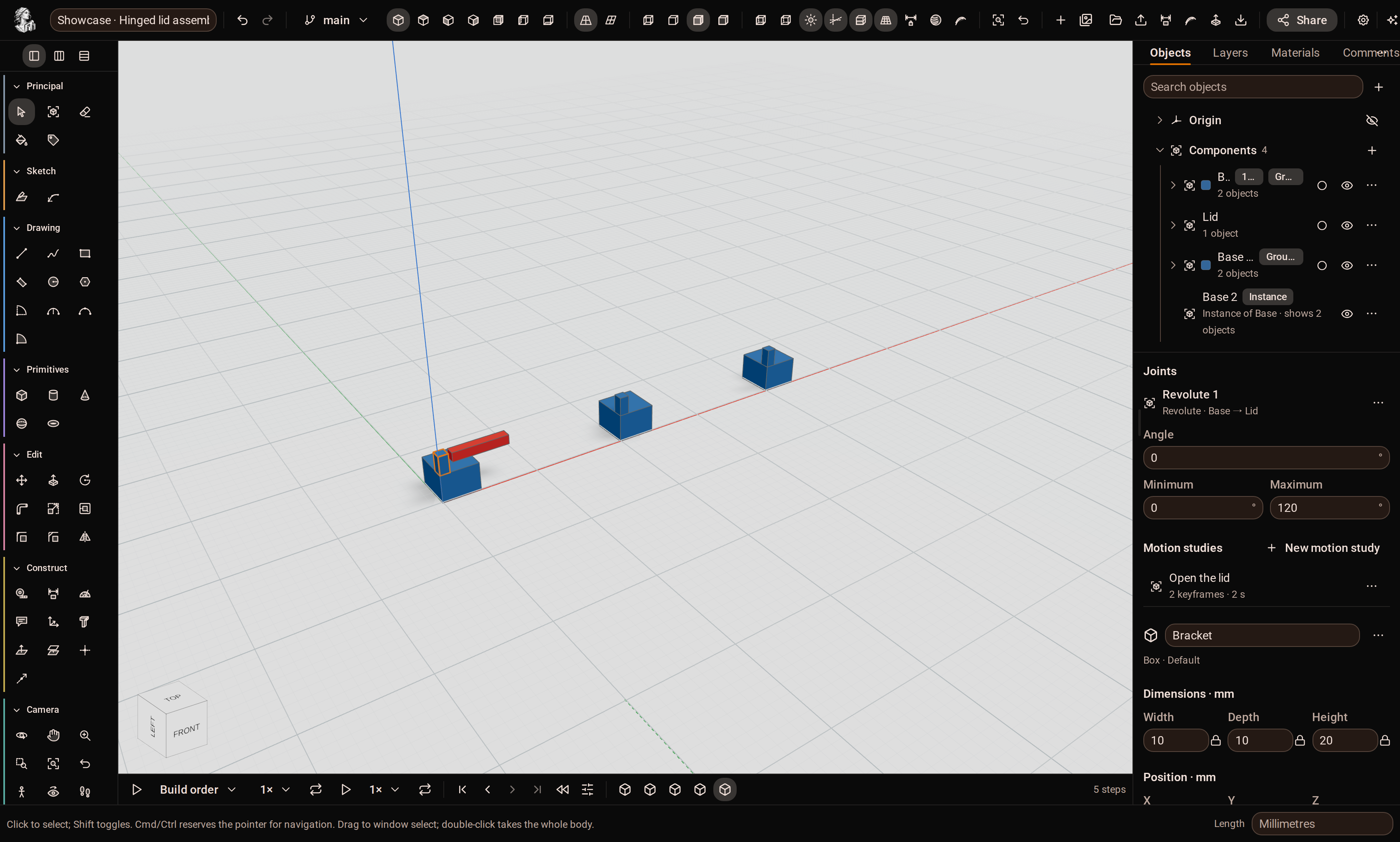
An assembly with components in the browser, joints, and a motion study.
Assemblies & teams

Parts that know how they fit, and people who can see it happen.

Components nest and place again without being copied. Seven joint types with limits, grounded parts, driven values and motion studies that sample where every part stands. An interference analysis lives on the scene, not in the document, so it is never a stale number.

Models carry an owner, a visibility and members. Committed revisions are pushed live, with presence — colour, selection and camera — that never touches the document. Comments anchor to an object, a face and a point. Share links are a credential of their own, so a reviewer needs no account.

Collaboration in detail

Open a model and push a face.

The fastest way to judge a CAD tool is to use it for ten minutes. The studio is one click away, in the browser you already have open.